
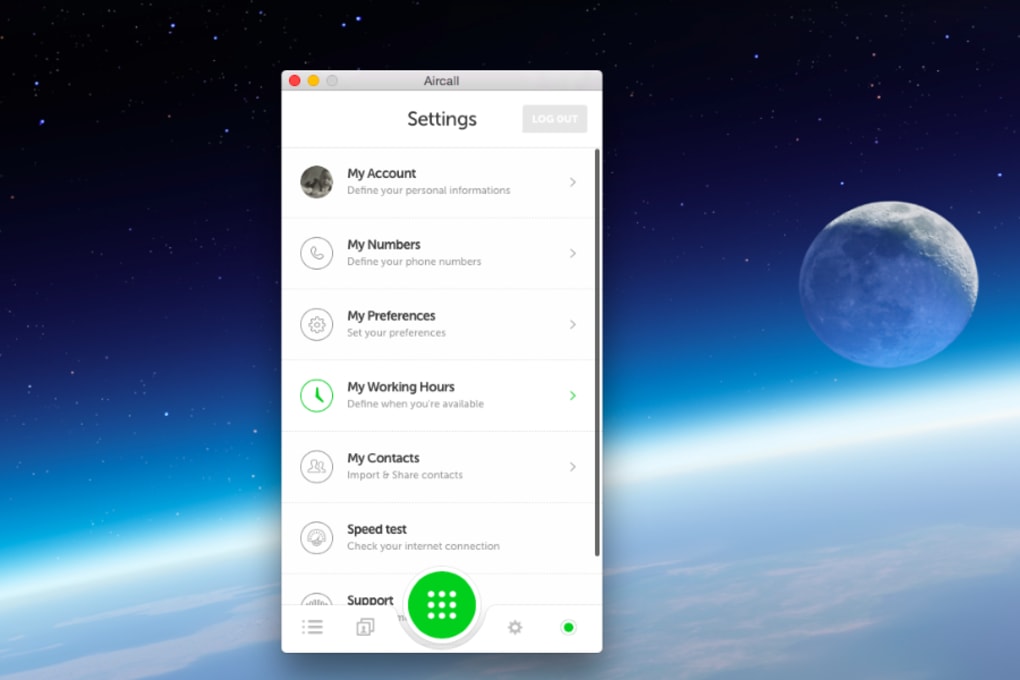

Download Aircall – wireless call centre software, virtual phone system
Overview
Aircall is a cloud‑based call‑centre management solution that lets businesses build a fully functional, wireless contact centre without the need for costly hardware or a physical office. By signing up for an Aircall account, managers can instantly provision toll‑free or local numbers, route incoming calls through custom greetings, and empower agents to answer calls from any smartphone or desktop app. The platform delivers every feature you’d expect from a traditional on‑premise PBX—call queuing, live recording, voicemail, and real‑time analytics—while keeping the setup time to minutes instead of weeks.
Because the service lives in the cloud, teams can work from anywhere, making it ideal for remote sales squads, distributed support desks, and hybrid workplaces that need a reliable, scalable phone system. Aircall also integrates with popular CRM and help‑desk tools, allowing agents to see caller information, log interactions, and collaborate on tickets without switching applications. In short, Aircall transforms a scattered group of mobile devices into a synchronized, professional call centre that can grow with your business.
Key Features & Compatibility
- Virtual phone numbers (toll‑free, local, and international)
- Customizable IVR menus and call routing
- Real‑time call monitoring, whisper, and barge‑in
- Automatic call recording and searchable voice logs
- Integrated voicemail‑to‑email and transcriptions
- Team collaboration tools – shared call notes, tags, and comments
- Analytics dashboard with KPIs such as average handling time and abandonment rate
- Native integrations with Salesforce, HubSpot, Zendesk, Slack, and more
- Desktop apps for Windows, macOS, and Linux, plus mobile apps for iOS and Android
- Secure SIP‑TLS encryption and GDPR‑compliant data handling
Aircall is built to run on all major operating systems, ensuring that agents can join the call centre from their preferred device. The desktop client supports Windows 10 / 11, macOS 10.15 or later, and most Linux distributions with a modern browser. Mobile apps are available for iOS 13+ and Android 8+. Because the service is delivered over the internet, no additional drivers or PBX hardware are required—just a stable broadband connection and a headset.
Supported operating systems: Windows, macOS, Linux (via browser), iOS, Android.
Installation, Usage & Pros / Cons
Getting Started in Minutes
1. Sign up on the Aircall website – choose a plan that matches your team size.
2. Claim a number – purchase a toll‑free or local number, or port an existing one.
3.
Set up IVR – use the drag‑and‑drop editor to create greeting messages and menu options.
4. Invite agents – send email invitations; agents download the Aircall app on their smartphone or desktop.
5. Configure integrations – connect Aircall to your CRM, help‑desk, or Slack for automatic call logging.
6.
Test the flow – place a test call to verify routing, voicemail, and recording settings.
7. Go live – start receiving real calls and monitor performance from the analytics dashboard.
Pros
- Fast deployment – no hardware installation required.
- Fully cloud‑based, enabling remote and hybrid teams.
- Rich set of call‑centre features at a predictable monthly cost.
- Seamless integrations with leading CRM and help‑desk platforms.
- Scalable pricing – add or remove seats on demand.
Cons
- Relies on stable internet connectivity; poor bandwidth can affect call quality.
- Advanced reporting is only available on higher‑tier plans.
- Limited on‑premise customization for enterprises with strict compliance needs.
FAQ
Can I keep my existing phone number when I switch to Aircall?
Yes. Aircall supports number porting for most countries, allowing you to retain your current business number while migrating to the cloud platform.
Is there a free trial available?
Aircall offers a 14‑day free trial with full access to all features, so you can test call routing, integrations, and analytics before committing to a subscription.
How does call recording work, and is it GDPR‑compliant?
Calls are recorded automatically on the cloud and stored in an encrypted vault. Aircall provides consent prompts and allows you to delete recordings to stay compliant with GDPR and other privacy regulations.
What headsets are recommended for optimal audio quality?
Any USB or Bluetooth headset with noise‑cancelling microphones works well. Popular choices include the Jabra Evolve series, Plantronics Voyager, and Logitech H570.
Can I integrate Aircall with my existing CRM?
Aircall natively integrates with Salesforce, HubSpot, Zoho CRM, and many others. For custom solutions, Aircall offers a REST API and webhook support to push call data into any platform.
Conclusion & Call to Action
Aircall delivers a modern, secure, and highly flexible virtual call‑centre solution that eliminates the overhead of traditional phone systems. Whether you’re a fast‑growing startup, a remote sales team, or an established enterprise looking to modernize, Aircall’s quick setup, robust feature set, and seamless integrations make it a compelling choice. Start your free 14‑day trial today, claim a toll‑free number, and experience how a cloud‑native phone system can boost productivity, reduce costs, and keep your customers happy.
Start Free Trial NowPros: Fast deployment, remote‑first design, strong integrations.
Cons: Dependent on internet quality, advanced reporting on higher plans.



.png)



